In the Lightroom Photoshop App:
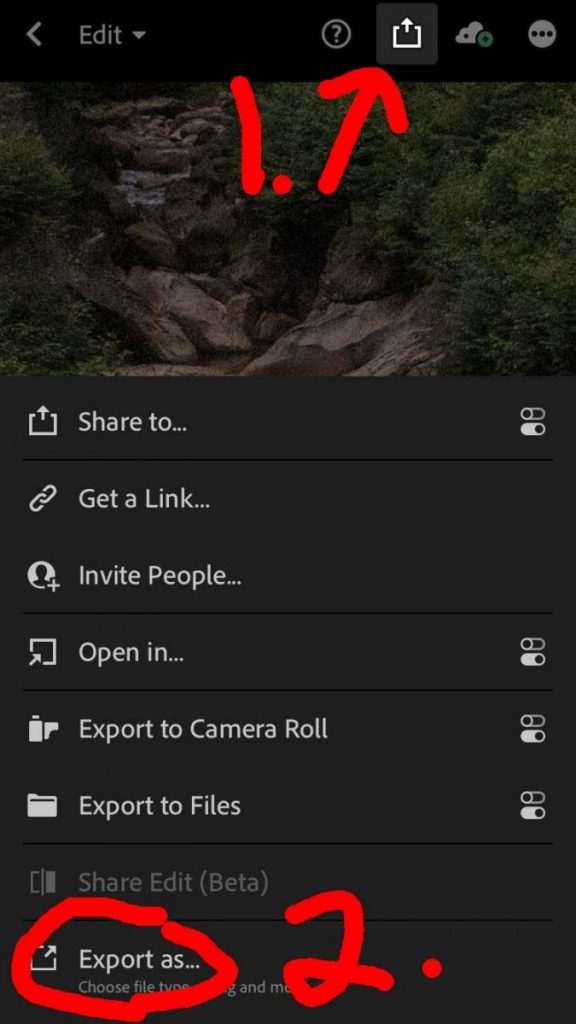
With the image selected, choose the download icon. From the bottom of that menu, select Export As …
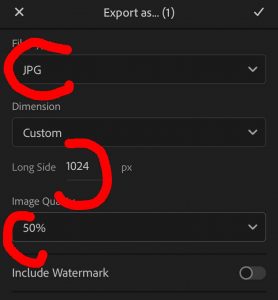
From the Export As menu, select jpg, long side 1024, and image quality 50%.
In Lightroom Classic:
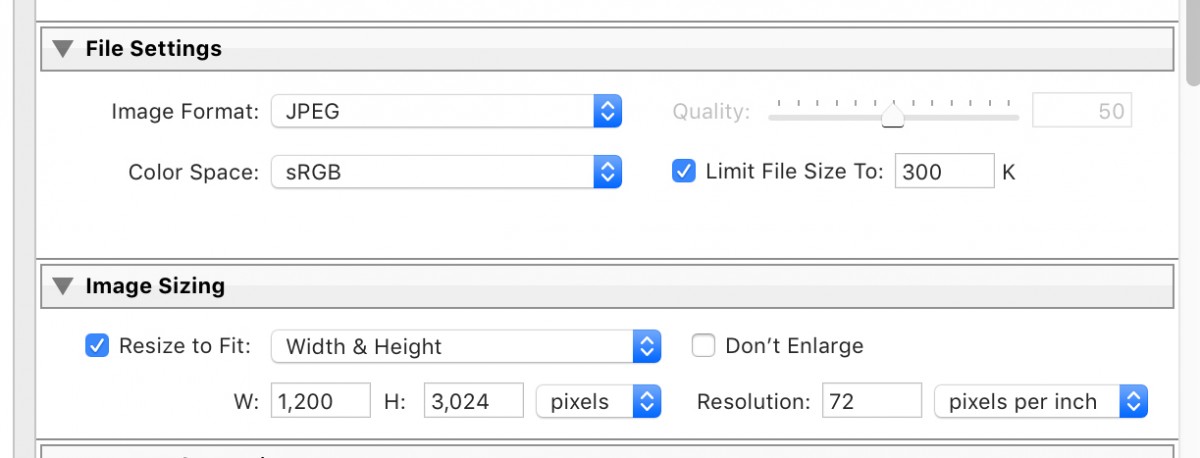
Select File>Export.
Robin Michals | COMD 1340 Photography 1
In the Lightroom Photoshop App:
With the image selected, choose the download icon. From the bottom of that menu, select Export As …
From the Export As menu, select jpg, long side 1024, and image quality 50%.
In Lightroom Classic:
Select File>Export.

© 2024 COMD 1340 D085 Fall 23
Theme by Anders Noren — Up ↑
The OpenLab is an open-source, digital platform designed to support teaching and learning at City Tech (New York City College of Technology), and to promote student and faculty engagement in the intellectual and social life of the college community.



Recent Comments