
OpenLab is built with WordPress as is your ePortfolio. Below you’ll see a series of videos tutorials to help you start setting it up. You can see screenshots to help you with the steps to follow.
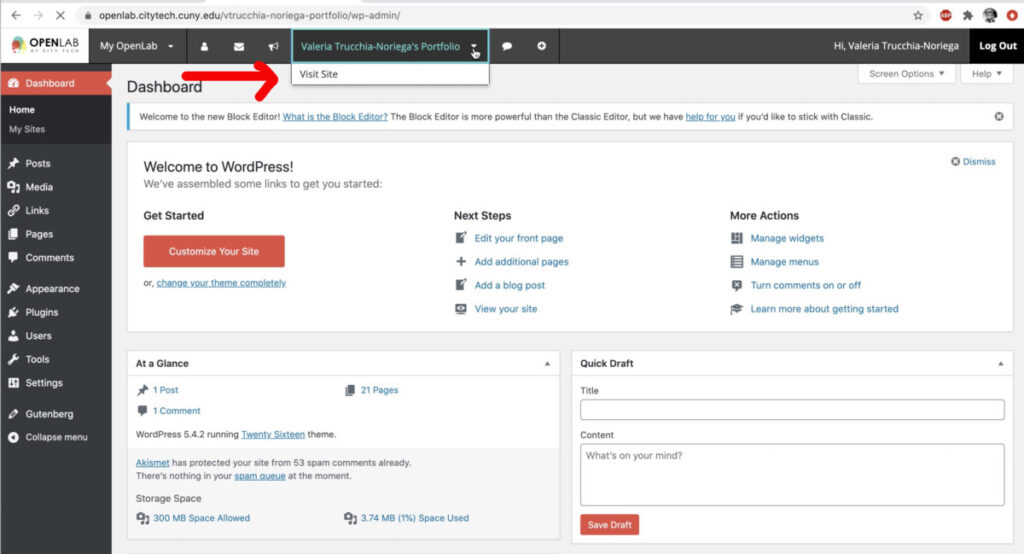
This is your dashboard 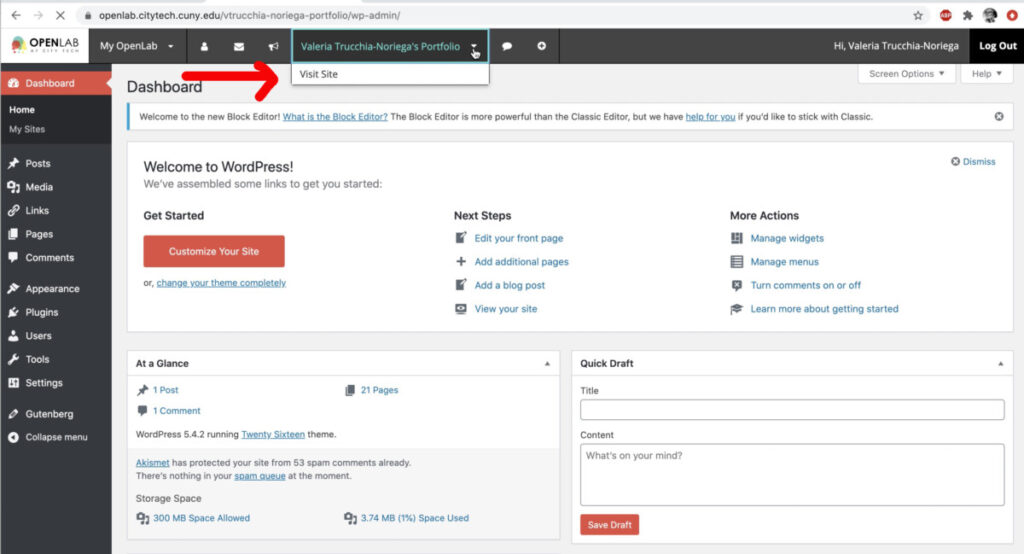
Your site is the front end 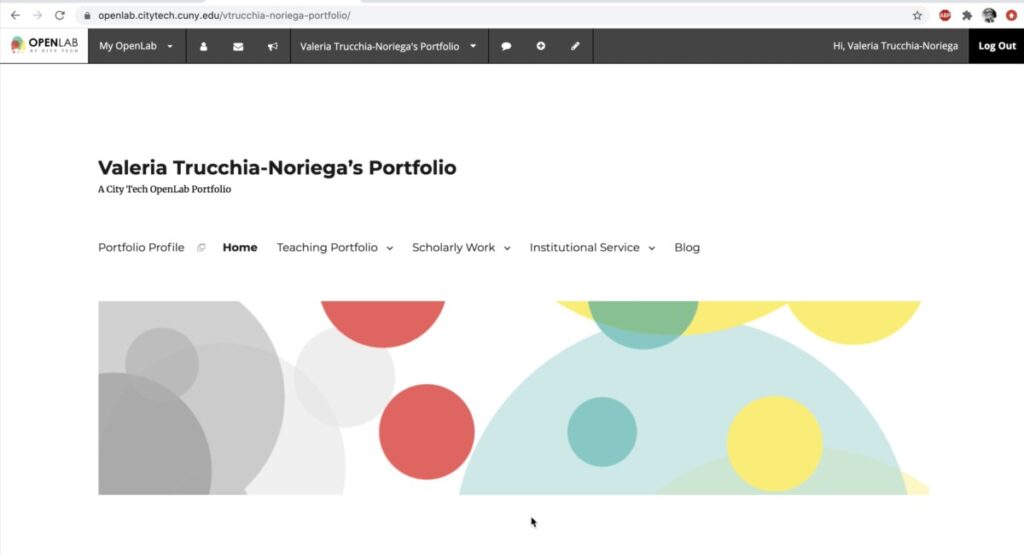
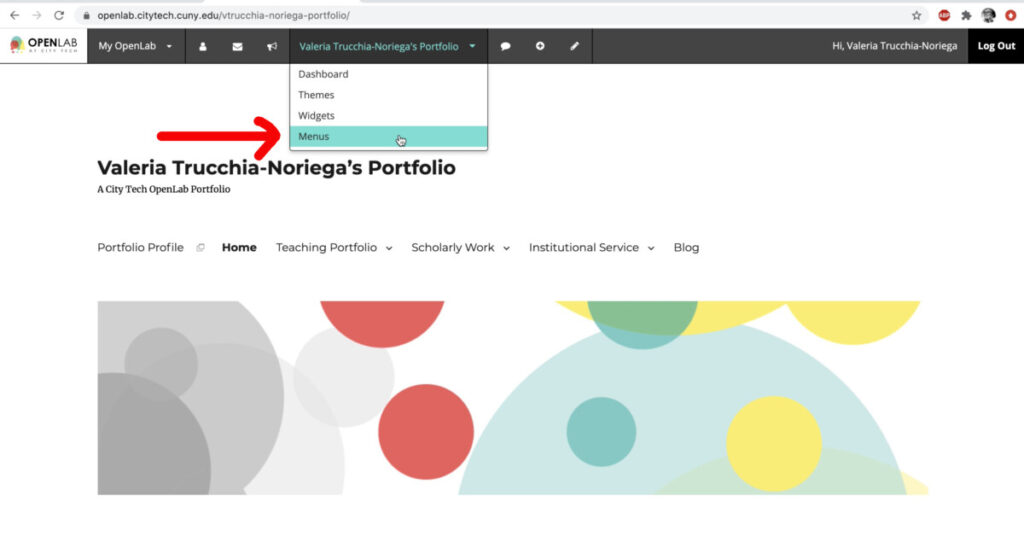
You can access to the menus here 
or here 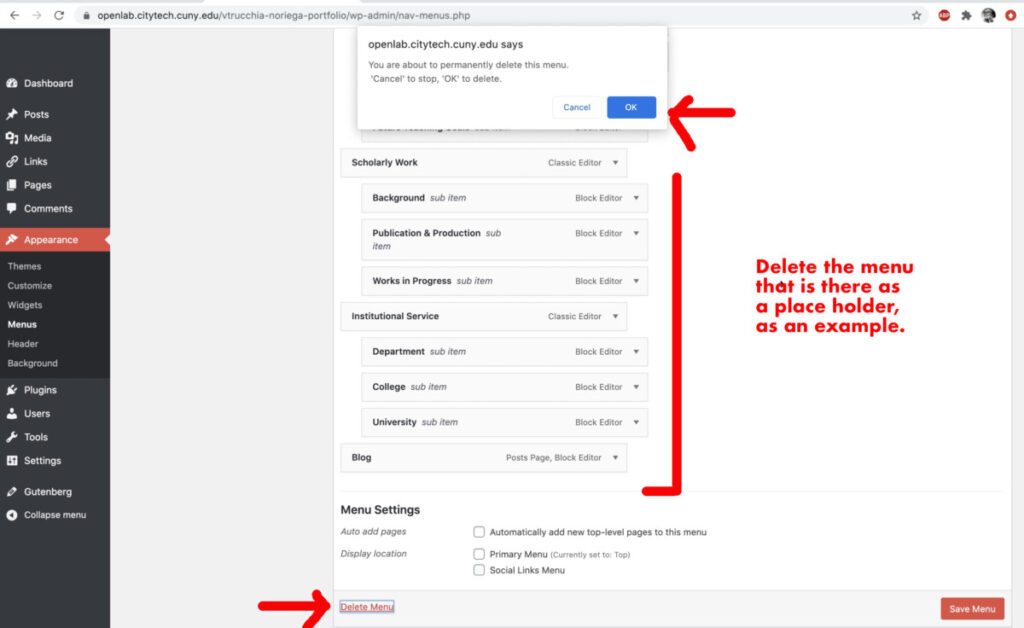
Delete the menu to create your own 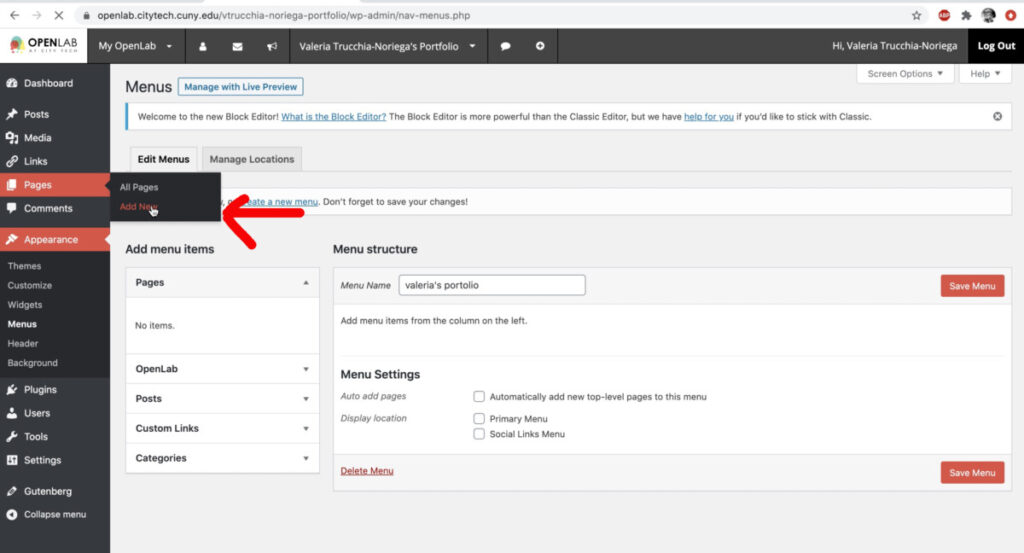
Add a Page for your navigation 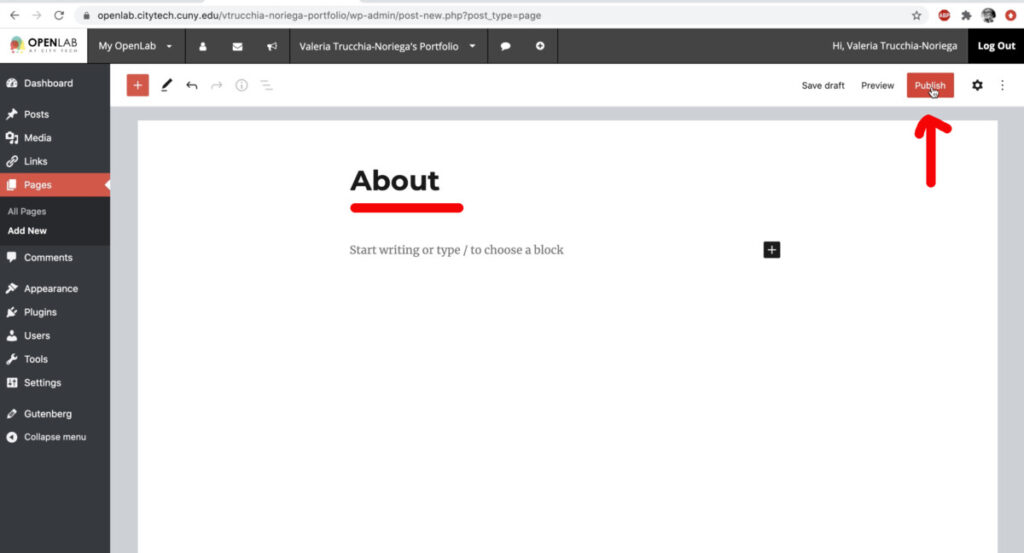
Name it with your class name for example 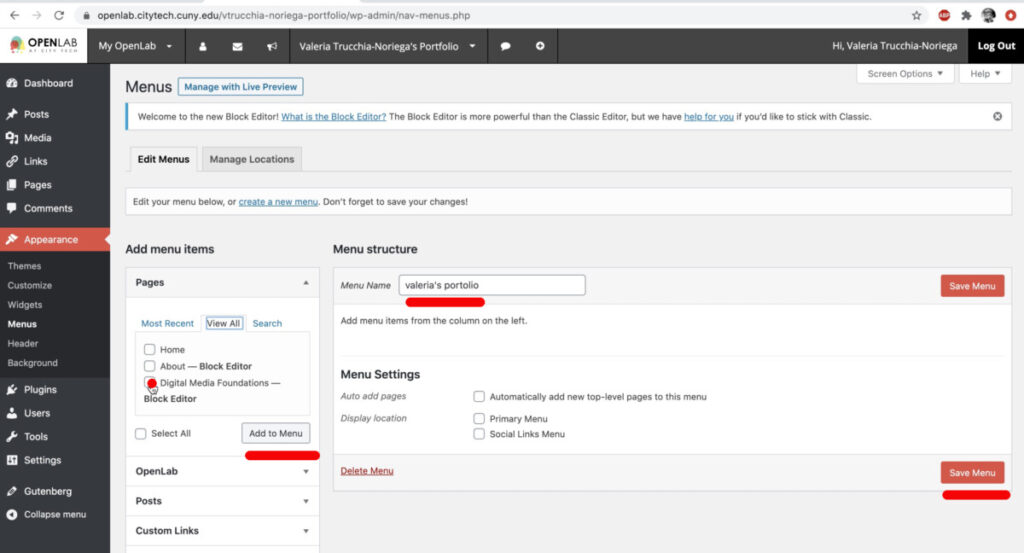
Add the page to the menu left to right 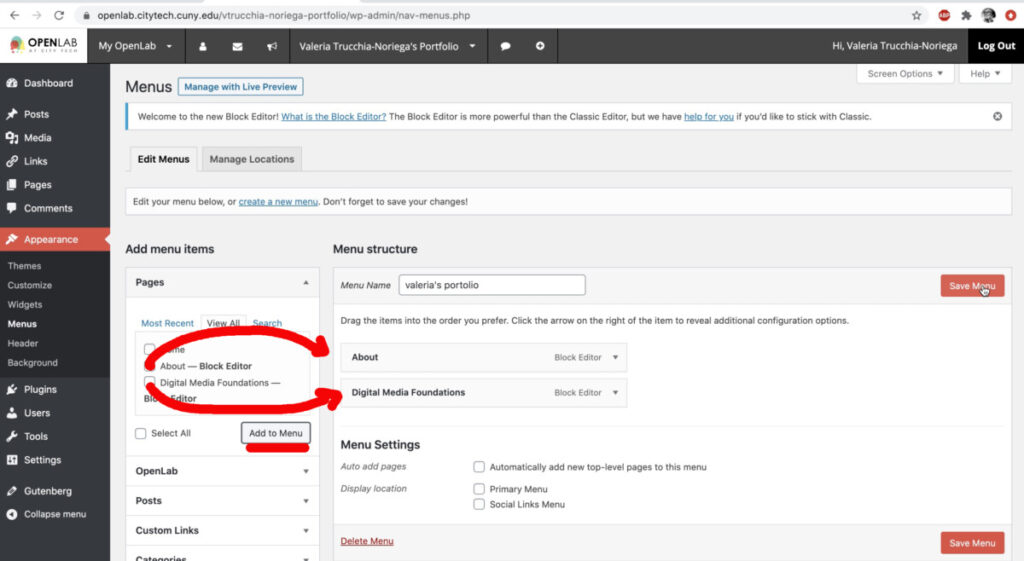
Add your page on the right column 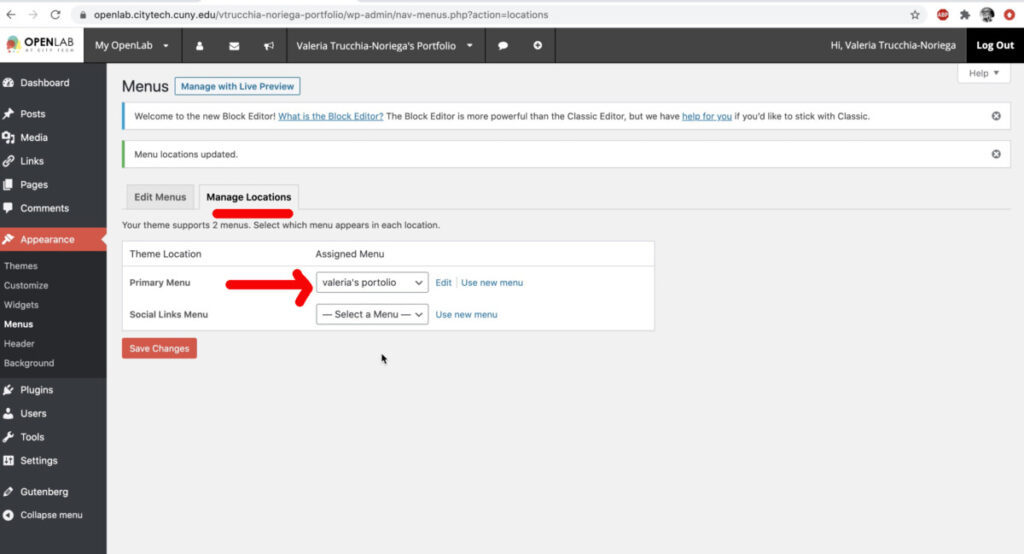
go to manage menu to add your new menu 
Select your portfolio 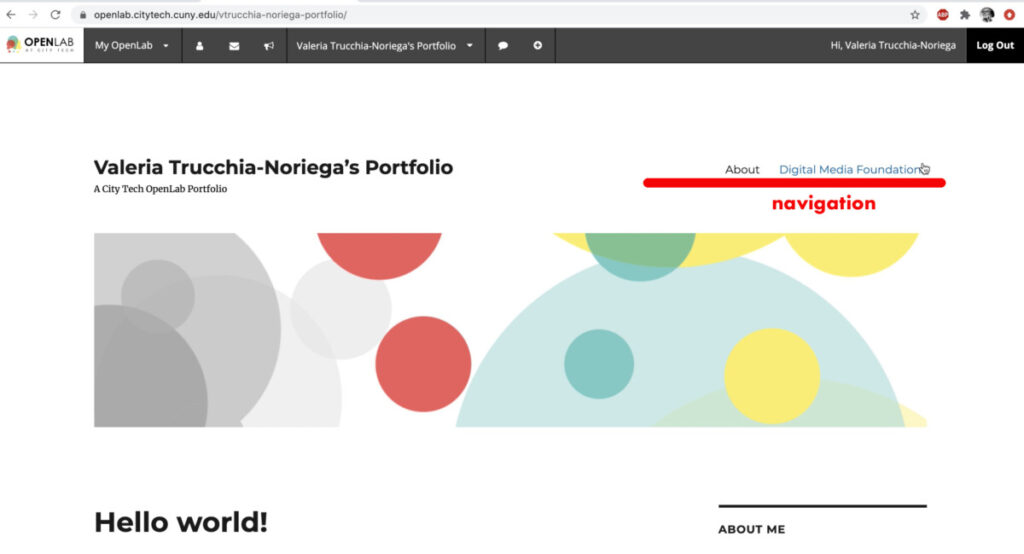
it should show up on your navigation bar 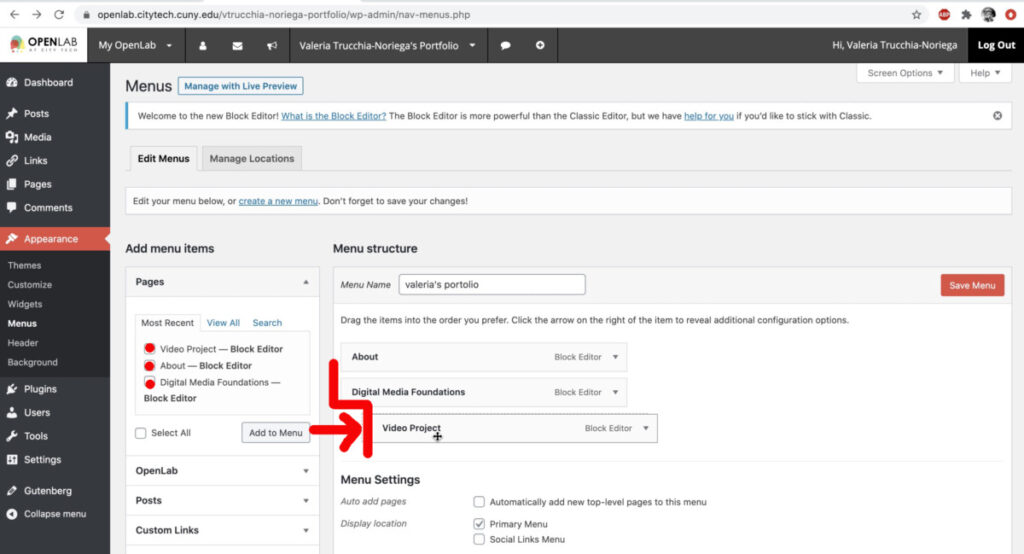
To add a page in the folder it has to have an indent 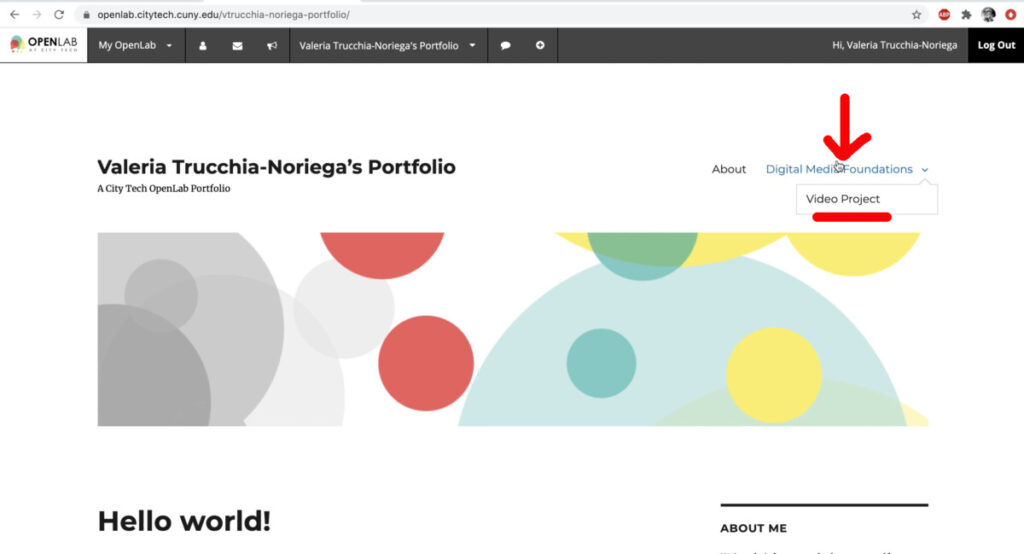
it will show up inside your navigation titles
Screenshots of the video #3 above
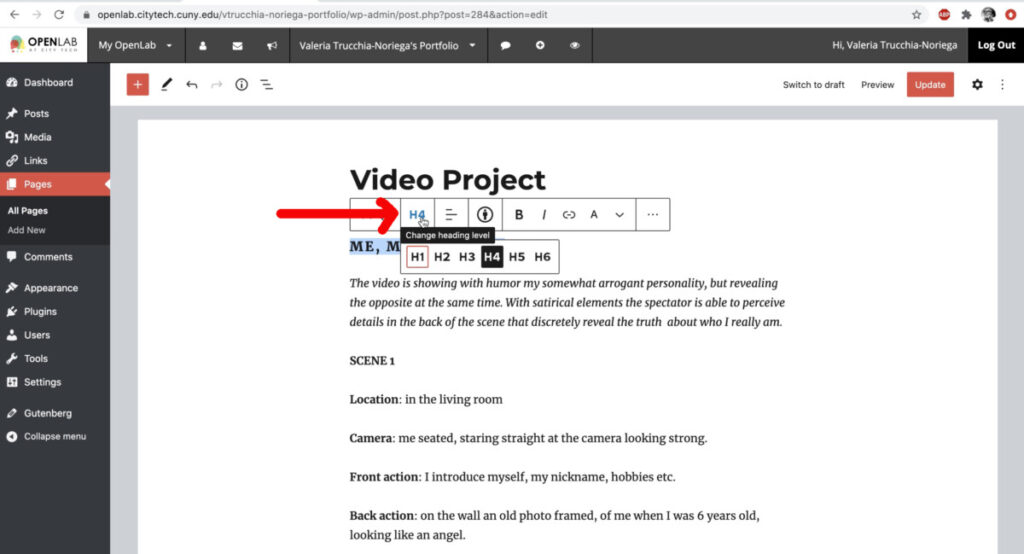
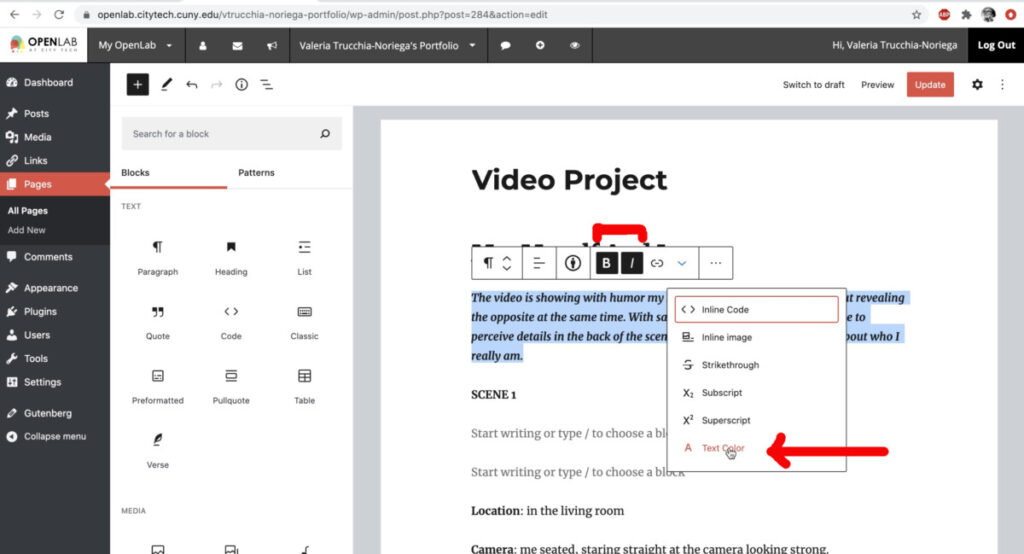
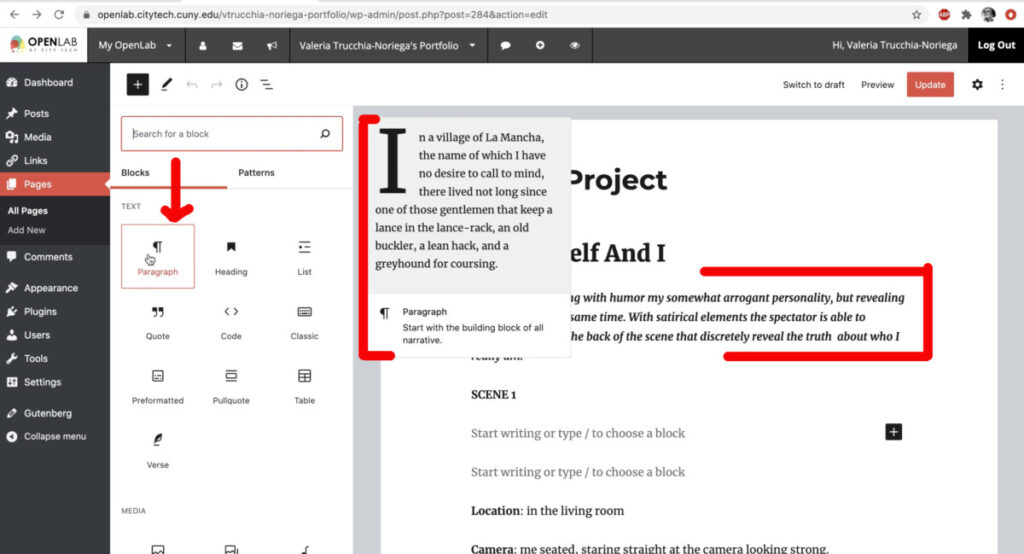


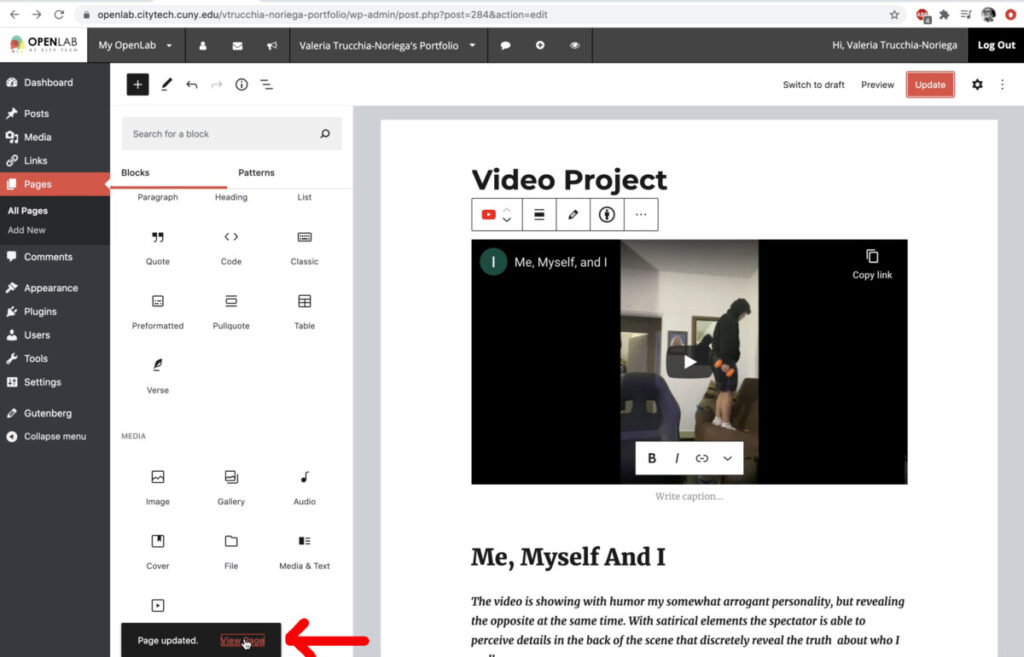
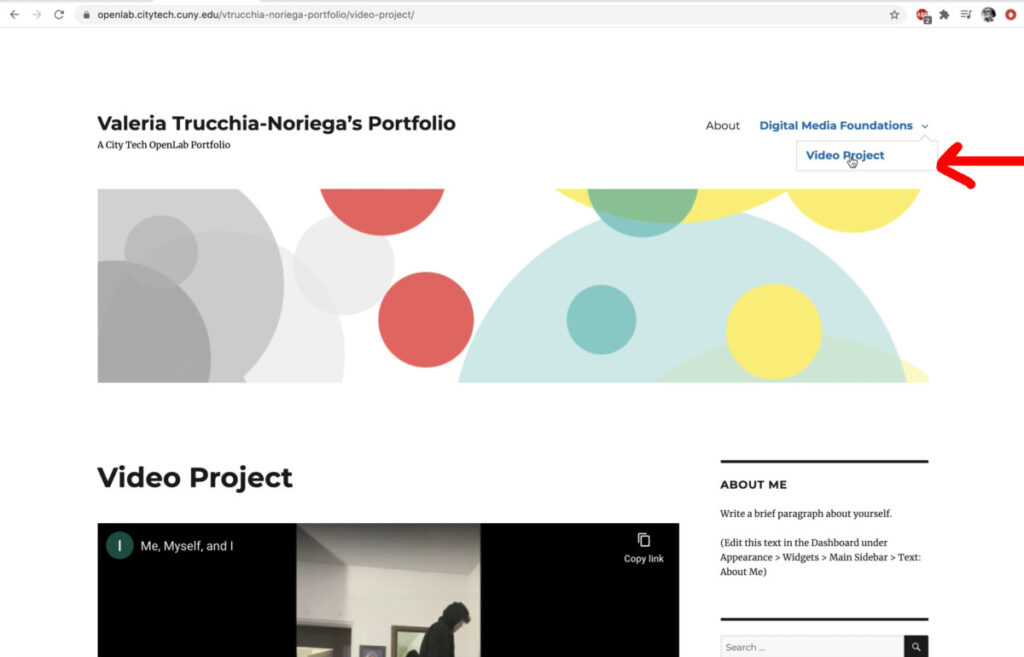
Screenshots of the video #4 above